Showing posts with label Printer. Show all posts

Sunday, July 3, 2011

Adjustment Program or Resetter Epson TX210 Printer

A reader of this blog gave download link for Adjustment Program or software resetter for Epson TX210. This software Epson resetter not require date setting, just run the adjustment program executable to run the software.

Epson TX210 is multifunction inkjet printer that can print up to 5760 x 1400 dpi.This Epson printer delivering versatility and easy useability. The features on Epson TX210 such as 1.5 inch LCD viewer, memory card slots, scanning and copying features and this printer using four individual cartridge DURABrite Ultra ink. This epson printer type can be connected to computer using USB calbe.The Epson TX210 support for operating system, Windows 7, Vista, Windows XP, Windows 2K and Mac OS 10.3.9.

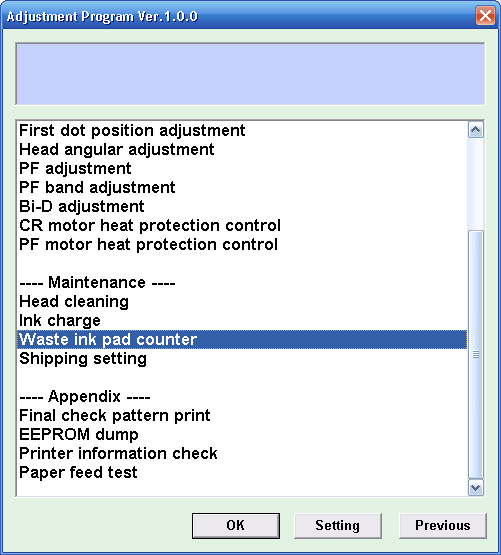
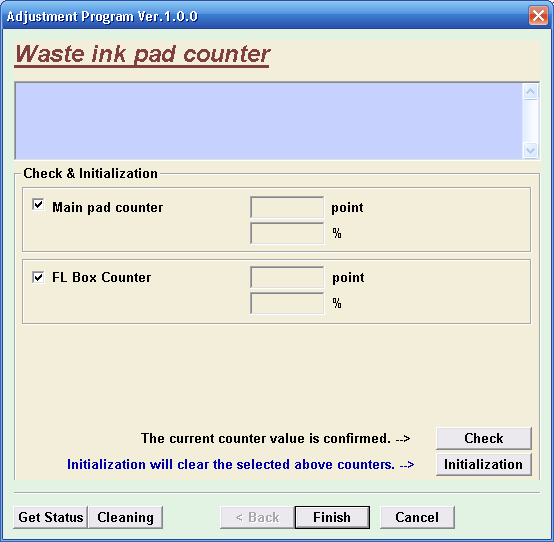
Here the screenshot of Resetter Epson TX210 or adjustment program Epson TX210
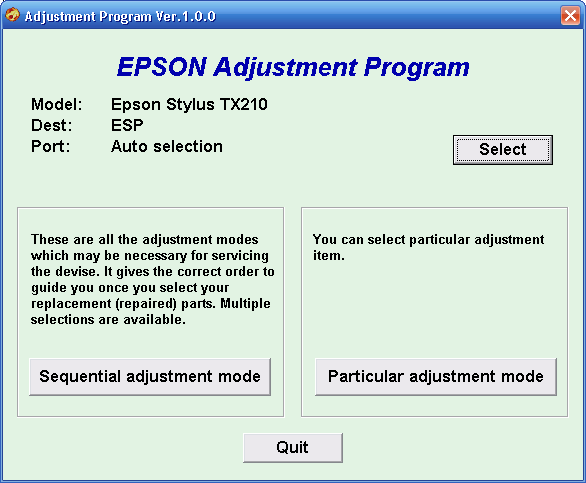
adjustment program epson TX210

Reset Counter epson TX210 Counter epson TX210

Download Link Resetter Epson TX210 – Download on mediafire: resetter Epson TX210 | Download on Ziddu: resetter Epson TX210

Read More..

How to print a Poster Using regular Printer

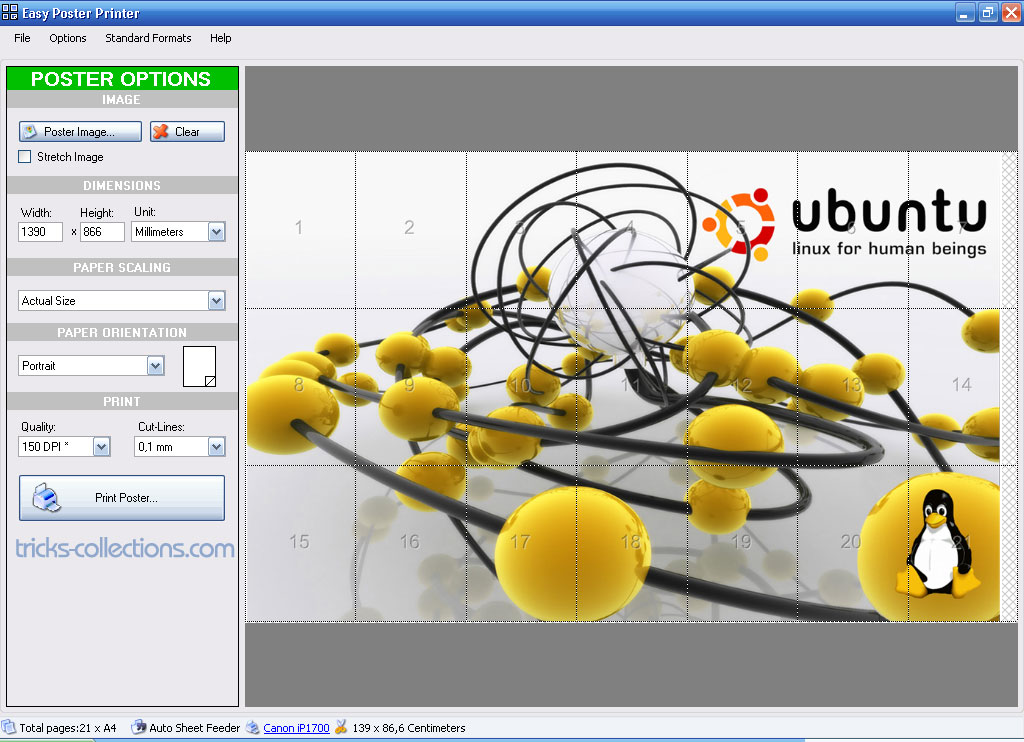
Print a poster using regular printer or small printer such as inkjet printer maybe many people think it impossible. But with “Easy Poster Printer” software you can do it easily. “Easy Poster Printer” can print a poster size up to 20×20 meters (max) Just drag and drop your picture into the application or open the picture then click print.

Easy Poster Printer released as freeware and this software comes with a Windows Shell Extension that allows you to see thumbnails of your posters in Windows. Easy Poster Printer uses the latest technologies from Microsoft .NET, which ensures you a wide compatibility. So if your use Windows XP you must install Microsoft .NET 3.5 or the latest version.

easy poster printer

Ho to print poster using Easy Poster Printer software

  1. Open the poster or drag and drop into Easy Poster Printer.
  2. Set dimensions, print quality and paper orientation.
  3. Click print poster, Ok. Or you can save the project then print later.

Easy Poster Printer Features

  • Make posters of any size (max 20×20 meters) using a regular printer (A4 for example).
  • Load, Clear, Rotate or Flip the poster image on the fly.
  • Define your poster size in Millimeters, Centimeters, Inch or even pages.
  • Adjust the poster size using build-in snap algorithms for up or down size.
  • See your posters as thumbnails in Windows Explorer (only for windows Vista and windows 7).
  • Save your own custom formats for easier reproduction.
  • Make high quality posters from regular images  (150-600 DPI)
  • Use Drag n Drop for both data-files and image-files.
  • Change background color
  • Copy and Paste images directly into the poster

You can download Easy Poster Printer software at: http://www.gdsoftware.dk/Downloads.aspx

Read More..